

Podcasts are everywhere in 2026 — from true crime to business strategy, there is a show for everyone. But if you are new to the world of audio content, you might be asking yourself: how do you listen to a podcast? The good news is that it is much easier than most people think. Whether you own an iPhone, an Android phone, or just a regular computer, you can start listening within minutes — and most options are completely free.
In this guide, we will walk you through every method available, cover the best apps, and answer the most common questions beginners ask. By the end, you will know exactly how do you listen to a podcast no matter what device you own.
What Is a Podcast?
Before diving into the how-to, let us quickly answer: what is a podcast?
A podcast is a digital audio program — similar to a radio show — that you can download or stream on demand. Unlike live radio, podcasts are pre-recorded and published as episodes. You can listen whenever you like, pause, rewind, and pick up where you left off.
Podcasts cover virtually every topic imaginable: business, health, comedy, news, sports, education, and more. Some are solo shows, others feature interviews with guests, and many are produced by major media companies. The best part? The vast majority are completely free to listen to.
How Do You Listen to a Podcast on Your Phone?
Your smartphone is the most popular way to listen to podcasts. Here is how to get started on both major platforms.
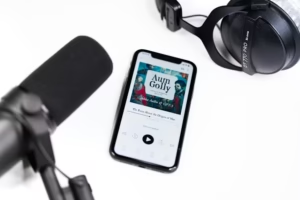
How Do You Listen to a Podcast on iPhone?
Apple iPhones come with a built-in podcast app called Apple Podcasts — no download required.
Steps:
- Open the Apple Podcasts app (purple icon) on your iPhone
- Tap the Search tab at the bottom
- Type the name of a podcast or a topic you are interested in
- Tap on a show, then select an episode
- Press the Play button
That is it. You are now listening to a podcast. You can also subscribe to shows so new episodes download automatically.
Tip: If you prefer a different experience, apps like Spotify and Overcast are excellent alternatives on iPhone.
How Do You Listen to a Podcast on Android?
Android phones do not have a built-in podcast app, but there are several excellent free options available on the Google Play Store.
Best free Android podcast apps:
- Spotify — the most popular, free with ads
- Google Podcasts (now merged into YouTube Music)
- Pocket Casts — powerful features, small one-time fee
- Podcast Addict — highly rated, completely free
Steps using Spotify on Android:
- Download Spotify from the Google Play Store
- Create a free account or log in
- Tap the Search icon and type a podcast name
- Tap Podcasts to filter results
- Select a show and tap any episode to play
Within two minutes, you will know exactly how do you listen to a podcast on Android without spending a single penny.
How Do You Listen to a Podcast for Free?
This is one of the most common questions for beginners — and the answer is simple: almost all podcasts are free to listen to.
Here are the best free methods:
1. Spotify (Free Tier)
Spotify offers full podcast access on its free plan. You will hear occasional ads between episodes, but all content is available. Simply create a free account at spotify.com or download the app.
2. Apple Podcasts
Completely free on all Apple devices. No account or subscription needed to listen.
3. Google Podcasts / YouTube Music
Google integrated podcast functionality into YouTube Music. Search for any show and start listening for free.
4. Amazon Music
Amazon Music also supports podcasts as part of its free tier. If you already have an Amazon account, you can access thousands of shows without any extra cost.
5. Other Free Apps
There are also other podcast apps available including TuneIn Radio, Podcast Addict, iHeartRadio, Deezer, and Podchaser. For most users, Spotify or Apple Podcasts will be more than sufficient — but these alternatives are worth exploring if you want advanced features.
How Do You Listen to a Podcast on a Computer?
You do not always need a phone. Listening on a desktop or laptop is just as easy.
Option 1 — Spotify Web Player: Go to open.spotify.com, log in, search for a podcast, and press play. No download required.
Option 2 — Apple Podcasts on Mac: If you use a Mac, the Apple Podcasts app is pre-installed. Open it, search, and listen.
Option 3 — Direct from the show’s website: Many podcasts embed a player directly on their website. Just visit the show’s page and hit play in your browser.
What Device Do I Need to Listen to Podcasts?
You do not need any special equipment. Here is what works:
- Smartphone (iPhone or Android) — most popular method
- Tablet (iPad or Android tablet) — same apps as phone
- Laptop or Desktop — browser-based or app players
- Smart Speaker (Amazon Echo, Google Home) — voice commands work great
- Smart TV — Spotify and YouTube Music apps available
- Car — via Bluetooth, Apple CarPlay, or Android Auto
The barrier to entry is extremely low. If you own any modern device, you already have everything you need.
How Do I Start Listening to Podcasts?
If you are completely new and wondering how to begin, follow these three simple steps:
Step 1 — Choose a platform Pick one app to start with. We recommend Spotify for Android users and Apple Podcasts for iPhone users, since both are free and already available on your device.
Step 2 — Find a topic you enjoy Search for a subject you care about — fitness, business, comedy, news, or anything else. Type it into the search bar and browse the results.
Step 3 — Subscribe and listen Hit subscribe on a show you like. This way, new episodes will appear automatically whenever they are published.
Once you have listened to your first episode, you will wonder how you ever went without podcasts.
What Is the Easiest Way for Elderly People to Listen to Podcasts?
For seniors or less tech-savvy users, the simplest approach is a smart speaker. Devices like the Amazon Echo or Google Nest allow you to listen just by speaking:
- “Alexa, play [podcast name]”
- “Hey Google, play [podcast name]”
No screen, no apps, no accounts needed. It is genuinely hands-free.
If a smart speaker is not available, a tablet with large text and the Spotify app is another excellent option. The interface is clean and simple, and the text is larger than on a phone.
How Do I Find and Listen to a Podcast?
Discovering new podcasts is part of the fun. Here are the best ways to find shows worth your time:
1. Search by topic Open any podcast app and type a subject into the search bar. Results will show the most popular shows on that topic.
2. Browse charts Most apps have a “Top Charts” or “Trending” section showing the most listened-to shows right now. This is a great way to find quality content quickly.
3. Ask friends or colleagues Word of mouth is still one of the best ways to discover great podcasts. Ask someone whose taste you trust what they are currently listening to.
4. Read curated lists Websites like ours at PodcastAgencyReviews focus specifically on podcast content and can point you toward shows worth your time. You can also browse expert guides at Podcast Agency Network for deeper insights into the podcast world.
5. Use podcast directories Apps like Podcast Addict and Podchaser function as searchable directories where you can filter by genre, rating, and episode length.
Can You Watch a Podcast or Just Listen?
This is a great question — and the answer is both.
Traditionally, podcasts are audio-only. However, many modern podcasters also record video versions of their shows, which they publish on YouTube or as video podcast episodes on Spotify.
So yes — if the creator offers a video version, you can absolutely watch a podcast. Popular shows like the Joe Rogan Experience and many business podcasts are available in both audio and video format.
If you prefer video content, search for the show on YouTube or look for the video option inside Spotify. If no video is available, the audio-only version is still the same content — just without visuals.
Best Podcast Apps Compared (2026)
| App | Platform | Free | Best For |
|---|---|---|---|
| Apple Podcasts | iOS, Mac | Yes | iPhone users |
| Spotify | iOS, Android, Web | Yes (ads) | All-in-one music + podcasts |
| Pocket Casts | iOS, Android | Paid | Power users |
| Podcast Addict | Android | Yes | Android users |
| Amazon Music | iOS, Android | Yes | Amazon users |
| iHeartRadio | iOS, Android | Yes | Live radio + podcasts |
| TuneIn Radio | iOS, Android | Yes | News and live content |
Tips for Getting the Most Out of Podcasts
Now that you know how do you listen to a podcast, here are a few tips to improve your experience:
Use headphones — the audio quality difference is significant, especially for interview-style shows.
Adjust playback speed — most apps let you listen at 1.25x or 1.5x speed, saving time without losing comprehension.
Download for offline listening — if you commute or travel, download episodes in advance so you can listen without mobile data.
Create playlists or queues — apps like Pocket Casts and Spotify let you queue episodes from different shows so you never run out of content.
Leave reviews — if you enjoy a show, leaving a five-star review helps the creators grow their audience. It takes thirty seconds and makes a real difference for independent podcasters.
How Podcasts Can Help Grow Your Business or Personal Brand
If you are interested in podcasting beyond just listening, you might want to explore how B2B professionals use podcasts as a marketing and branding tool.
At PodcastAgencyReviews, we review and compare the top podcast booking agencies that help professionals get featured as guests on relevant shows — a powerful strategy for building authority and driving targeted traffic.
You can also learn more about effective podcast growth strategies through resources like the Podcast Agency Network’s guide on podcast booking services.
If you have questions about podcast strategy or want to get in touch, visit our Contact page.
Final Thoughts
So — how do you listen to a podcast? The short answer: pick any free app, search for something you enjoy, and press play. It takes less than five minutes to go from zero to your first episode.
Whether you use an iPhone or Android, a laptop or smart speaker, the world of podcasting is fully accessible and almost entirely free. There has never been a better time to start.
If you are curious about the business side of podcasting — how creators grow audiences, book guests, and build brands — explore the full reviews and guides at PodcastAgencyReviews.com.